
WiFi Setup
PineVoice implements open-source WiFi Provisioning protocol Improv. Any application supporting this protocol is capable of setting up WiFi on the PineVoice.
Entering Provisioning Mode
On first boot, the speaker automatically enters Wi-Fi provisioning mode. While in this mode, the ring LED blinks yellow.
If the ring LED is not blinking yellow, the speaker is not in provisioning mode. Perform a factory reset to return it to provisioning mode, by holding • dot button for 15 seconds. After releasing the button, PineVoice should restart and launch Provisioning Mode.
Provisioning
Once the speaker is in provisioning mode (ring LED blinking yellow), use one of the following methods to send the Wi-Fi credentials:
Through Web
Open this website on your PC or phone, which have Bluetooth 4.0 (Low Energy) connectivity and then press following button:
Alternative web provisioning
If button on this website does not work, try it on Improv website.
Through Home Assistant
Home Assistants supports Improv via BLE. This feature must be set up properly to be functional. Please, follow this instructions on Home Assistant website.
This card should pop up automatically in your Home Assistant on Devices page:
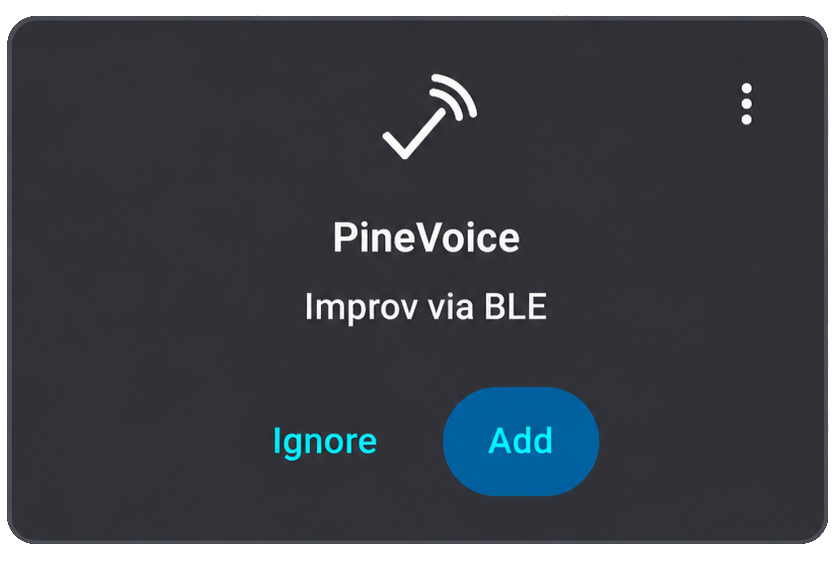
Improv Card in Home Assistant
After successful provisioning, please continue to Assistance Setup.